


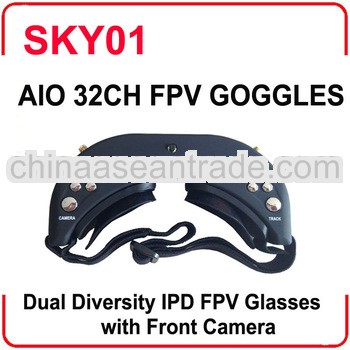

 Click for original picture
Brand:aa
Product detail:
FPV Multi-Function wireless Video Goggles
Wireless
The FPV Google with Built-in 5.8Ghz Dual Diversity Receiver and Dual Antenna port can receive 2 different channels at the same time and automatically for best reception. It working in diversity mode to achieve good signal utilization and improve the image quality.
It supports 4 Bands and total 32channels (Bands selection and Resulting Frequencies see details in Specifications)
Bands Setup
- Long Press Button "BAND" to setup the Bands. Different beeps refer to different Bands.
- It'll return to normal working mode after 1 short beep if there is no operation within 3 secs
Beep | Receiver Channel |
1 short beep | Band 1 |
2 short beep | Band 2 |
3 short beep | Band 3 |
4 short beep | Band 4 |
Channel Setup
- Short Press Button "CH" to select from CH1 to CH8. Different beeps refer to different channels.
Beep | Receiver Channel |
1 short beep | CH1 |
2 short beep | CH2 |
3 short beep | CH3 |
4 short beep | CH4 |
5 short beep | CH5 |
6 short beep | CH6 |
7 short beep | CH7 |
8 short beep | CH8 |
Head Tracker
PPM Channel Setup
- Press and Hold Button "HT", then connect power to enter Head Tracker Setup Menu (Release the button as
- soon as powered). Head Tracker will beep indicating the current PPM Channel. See details below.
- Short Press "HT" Button to select different PPM Channels. Long Press the button to enter Pan Tracking Range setting mode.
Beep | PPM Channel |
1 short beep | Pan CH5,Tilt CH6 (Factory default) |
2 short beep | Pan CH5,Tilt CH7 |
3 short beep | Pan CH5,Tilt CH8 |
4 short beep | Pan CH6,Tilt CH7 |
5 short beep | Pan CH6,Tilt CH8 |
6 short beep | Pan CH7,Tilt CH8 |
Pan Tracking Range Setting
- 1 long beep refers to 90 degrees, 2 long beeps refer to 180 degrees
- Short Press "HT" button to change the working Range with corresponding beep
- Long press "HT" to return (with 1 short beep) PPM channel setup mode.
Please disconnect the power after setup and then reconnect to enter normal working mode.
Short press "HT" button is ok to setup head tracker into Center position while working.
Front Camera
- The Front Camera is Wide-Angle Camera with 680X480(VGA) Resolution and good low Illumination. It's very convenient to view around without taking off the Goggles.
- Press "Camera" button to open the Front Camera.
Volume
- Each boot is automatically set to the lowest volume to avoid sudden loud boot.
- A long beep indicates that you have reached the MAX or MIN Volume. .
Display Setup
Interpupillary distance(IPD)Adjustable
- Pull the IPD Adjuster to adjust the interpupillary distance
Brightness/ contrast settings
- It's easy to setup the Brightness/Contrast with the 5-direction switch. Short press is to adjust gradually, long press is to adjust continuously. It will auto saved if there is no operation within 5 secs.
- Press Center button to adjust Brightness/Contrast to factory default.
AV input
- The goggles support AV IN. The wireless model will close when the AV IN is connected.
- The Front Camera is ok for use under AV IN mode.
AV output
- Div. AV Out is the diversity Video and Audio output
- Earphone port is audio output for connecting earphones.
