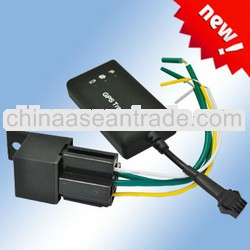
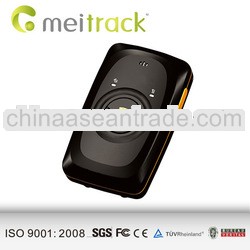
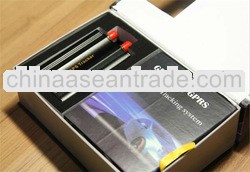
GPS CAR Vehicle Tracker TK103 gps taxi meter Itsupports both GPS locating and GSM locating. When there is GPS signal available, it will use GPS signal to locate your tracking target. Once there is NO GPS signal such as in the garage, BUT there is GSM signal received from a GSM modem nearby, you can send the tracker SMS to get its location and coordinates.The remote control is unique. Each TK103B tracker has JUST ONE remote control to pair. Please take care of this remote control with attention!Dialing the tracker device, it will respond to a real-time latitude and longitude information.FUNCTIONS:Successive Locating AutomaticallyGet location in real street/address nameMonitoruser can dial up the tracker device to monitor the voiceAlarmsLow battery alarmPower off alarmSOSGeo-fenceMovement alarmOverspeed alarmCut off/ Resume the Oil and Power SystemSet up arm by SMSDisarm by SMSAlarms under Arm Statedoor alarmSensor alarmACC alarmSet up silent mode by SMSNo GSM Network AlarmCheck the Vehicle StateTracker’s Hardware ResettingFunction of Remote ControlARMPress “A” button for 0.5 second, the siren will alarm one time.DISARMPress “B” button for .5 second, the siren will alarm two times.Silent modePress “A+B” together for 0.5 second when it is in disarm state, the siren will alarm three times.Quit silent modePress “A+B” together for 0.5 second again when it is in disarm state, the siren will alarm four times.DeterrenceLong press “A” button for 3 seconds, siren will alarm for 10 seconds, press “A” or “B” button to quit 1. GSM Antenna jack2. SIM card slot3. SIM card slot Pop-up switch4. Monitor jack5. GPS Antenna jack6. Sensor jack7. External Connection jack8. Power/GSM/GPS LED indicator9. Backup battery switch10. Remote control receiver antenna(Option, For model TK103B only)Wiring DiagramTrack via SMS on your phone:Get one SMS including: Lat/lon, speed, time remainning battery power and a link by clicking which you will be leaded to a Google Map on your phone screen, you can clearly see where your tracking target isTrack on Google Earth:Track on our online tracking website:www.gpstrackerxy.comwebsite supports English,Portuguese,Spanish,Thai,Simplified ChineseClick Funcation button on the top to easily send command to tracker and magnify ( Click + ) to see a clear route your car travelled, see following picture:


 Click to view original
 Prompt message